Scan to report for Cleerly — Cleerly workflow: from CCTA scan to report
Work for Cleerly: the how-it-works section of the site, called From scan to report. It has three steps side by side, each with its own line illustration.
In step 1 the imaging site uploads the CCTA. The ways to do it are listed under the step: direct upload, the Nuance PowerShare network, Intelerad InteleShare or the Cleerly proxy. In step 2 the AI measures: it builds a 3D model, locates and measures stenoses, and quantifies and categorises plaque. In step 3 the report returns by email, as a DICOM PDF, as DICOM SC or in the web portal. The average processing time, 1 hour 20 minutes, sits under the last step.
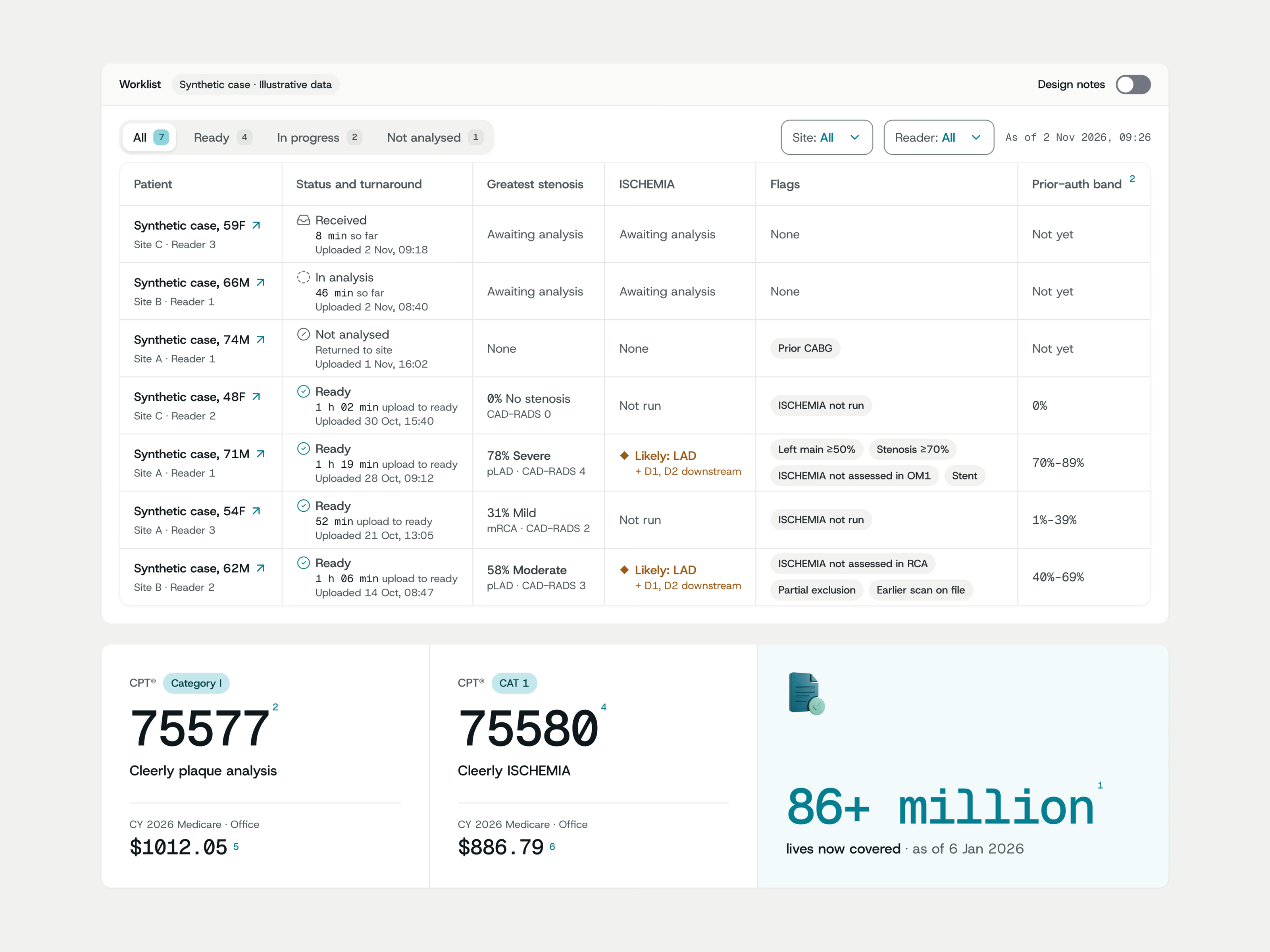
The second picture is the worklist and reimbursement section. It is a list of studies with the status, turnaround, greatest stenosis, ISCHEMIA result and flags for each patient. Under the list are CPT codes 75577 and 75580 with their 2026 Medicare rates.
Got something real to build?
Tell us what you’re building and let’s see if we’re a good fit.