Referee Portal | Weekly Schedule & Availability — Referee weekly schedule and availability in EDGE
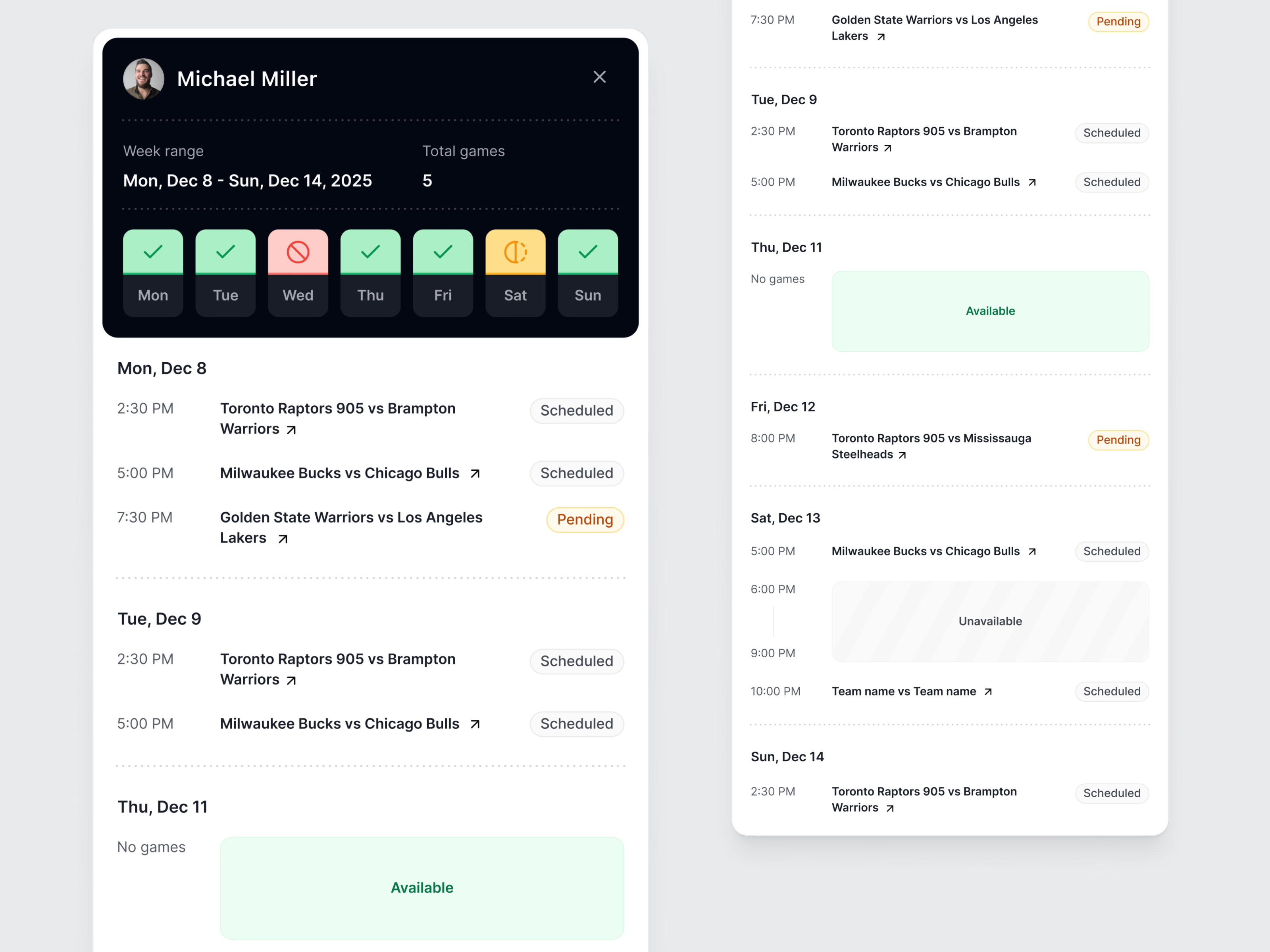
This is the availability of one referee in EDGE, the officiating platform for basketball referees and their federations. A manager opens it when they need to know whether a referee can take a game.
At a glance they see which days the referee is free and which they are not: seven day tiles in the dark header, green for free, red for unavailable and amber for part of the day. Under it is the list of games the referee is on. A manager can scroll it quickly and see how busy the referee is and which times are still free.
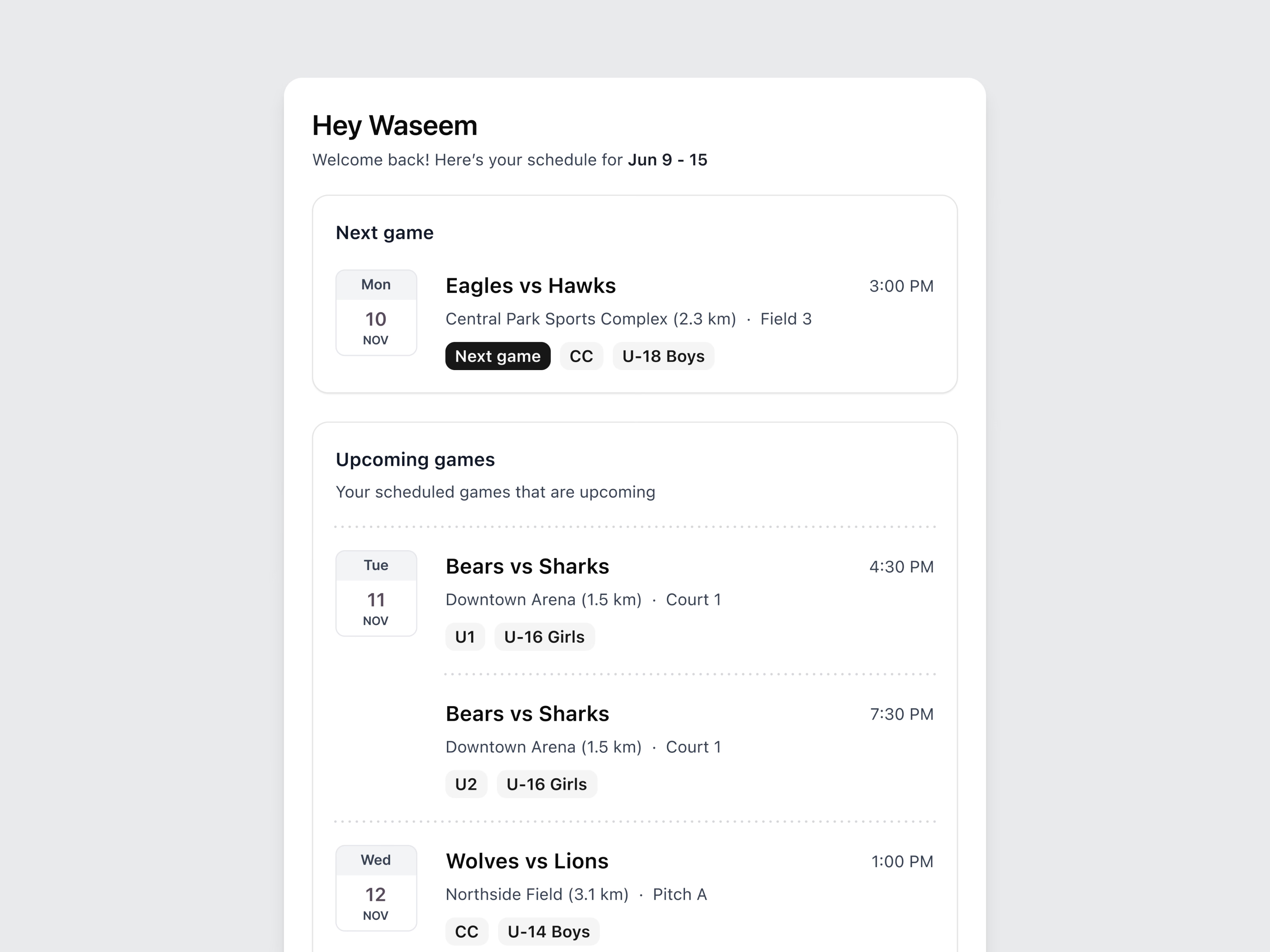
The second picture is one of the home views for a referee. You see your own games there: the next game on top in its own card, then the upcoming ones. Each game has the venue and how far away it is, the court or field, your role in the crew (CC, U1 or U2) and the age group.
Both use the same data. The manager reads it to assign, and the referee reads it to plan the week. The brand image under them shows an official mid-signal next to the line Building Technology for Referee Development.

Got something real to build?
Tell us what you’re building and let’s see if we’re a good fit.